


Falling Filter: Loop Me Effect
4.260.00 Reviews
App Specs
- Version
- 1.0.1
- Updated On
- License
- Free
- Downloads
- 1,000,000+
- Developer
- AI Master Lab
- Categories
- Photography
- Platform
- Android
Screenshots
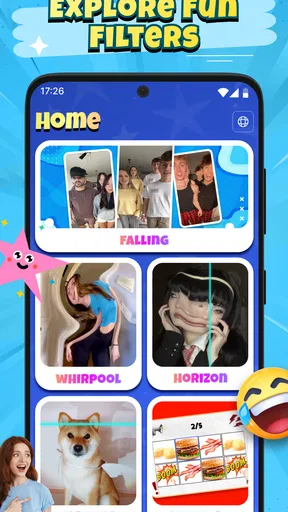
 Analysis by AppCompare
I look at Falling Filter: Loop Me Effect as a small, playful photography app for people who want a moving image to feel a little less ordinary. Its appeal is not about replacing a full editing suite; it is about taking a moment of motion and giving it a looping, falling-style treatment that can catch someone’s eye in a feed. I’d consider it when I want a quick visual experiment, rather than a polished production workflow.
A focused idea rather than an all-purpose editor
The central promise is easy to understand: turn movement into a repeating visual moment. That gives the app a narrower purpose than a typical photo editor, where the main work is cropping, color correction, retouching, or arranging several clips. If a short movement is the point of the post, a dedicated effect can be more inviting than opening a larger editor and searching through layers of controls.
That focus also sets expectations. I would not choose a loop effect just because a clip exists; the source needs a clear action that reads well when repeated. A hand dropping flower petals, a scarf catching a breeze, or a friend making a quick turn could offer a stronger starting point than a long, busy scene. The useful question is not simply “Can I add an effect?” but “Will the repeated motion make this moment more interesting?”
Where a short loop can earn its place
For an everyday example, imagine I’m filming a coffee being poured at home. A brief, steady shot gives the motion room to register, while a crowded background or a camera wobble can distract from it. I’d frame the pour tightly, hold the phone still, and capture a little extra movement before and after the action. That gives me more freedom to find a segment that feels complete rather than cutting off at the most satisfying instant.
The same approach can work for a pet stretching, a leaf drifting past a window, or a friend tossing a hat in the air. These are low-stakes subjects where a playful visual treatment is more important than documentary accuracy. For a family moment that needs to preserve what happened naturally, I’d keep the unedited original too; a looping effect changes the feeling of an event, and it is not a substitute for the source clip.
One practical trade-off is that loops make timing unusually visible. A cut that seems minor in a normal clip can feel abrupt when the ending jumps back to the beginning. I’d test a few different moments from the same recording, paying attention to whether the motion appears to continue smoothly or visibly resets. This small selection step can matter more than adding extra decoration.
Choosing it over familiar editing options
Compared with a general-purpose editor, a focused effect app is most useful when I already know the visual idea I want and do not need a timeline full of edits. A standard editor is the better choice for combining several shots, balancing audio, building a sequence, or making careful adjustments across a longer video. A static filter is simpler still, but it cannot make movement itself the subject in the same way a loop can.
Worth Reading Before You Choose

EA SPORTS FC Mobile 26 Is a Bigger Football Game, but It Takes Time

Flipboard Shows What News Apps Must Do Beyond the Feed

Switching to Android Auto Means Rethinking Your Driving Routine

Google Calendar Makes a Crowded Week Easier to Manage

Ludo King Makes the Most of the Minutes Between Plans

Baby Panda World Brings Quick Play to Modern Phones, but Its Game Library Feels Busy
I’d also separate this kind of playful post from a conventional GIF or a trimmed video. A simple trim preserves a straightforward sense of time; a loop intentionally makes the action repeat and can feel more stylized. That repetition can be charming for a social post, but it may become distracting if the motion is too fast, the clip is too long, or the subject is already visually busy. Keeping the idea small is often the best creative decision.
Who is likely to enjoy it
I think the app is best suited to casual creators who enjoy trying visual treatments without needing to learn a complex editing process. It may also appeal to someone who posts occasional clips and wants a distinct effect for a particular moment, rather than a broad toolkit they have to master. If you are choosing an app for professional delivery, detailed color work, precise sound editing, or a multi-clip story, I’d start with a more capable editor instead.
It is also worth thinking about the intended audience. A loop can make a familiar scene feel playful, but the same effect may not suit a serious announcement, a tutorial that needs uninterrupted steps, or footage where viewers need to understand the actual sequence of events. I’d use it when repetition adds a visual joke or a little atmosphere, and skip it when clarity matters more than style.
Getting Started with Falling Filter: Loop Me Effect
First off, downloading and setting up Falling Filter: Loop Me Effect is a breeze. Available on both Android and iOS, it’s pretty straightforward to get started. Once you open the app, you’re greeted with a simple, user-friendly interface that doesn’t overwhelm you with too many options right off the bat. It’s like they knew I needed my coffee before diving into a million menus.
The app gives you a quick tutorial on how to use its core features. Trust me, even if you’re not the most tech-savvy person out there, you’ll have no trouble following along. Once you’re in, you can either snap a new photo or video or choose one from your gallery. The fun begins when you start applying the effects!
Diving into the Effects
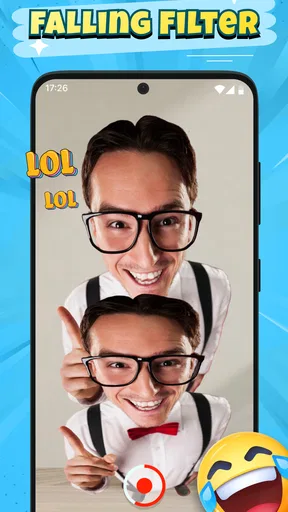
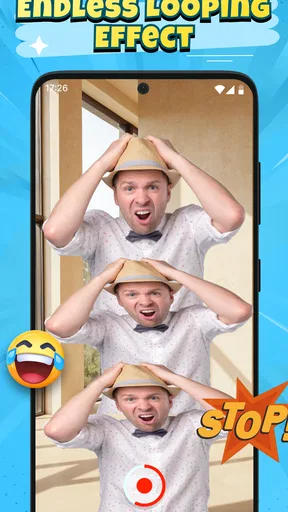
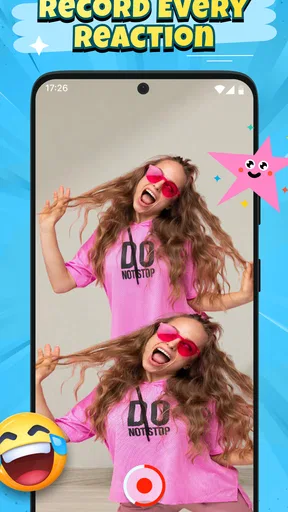
Now, the star of the show here is the looping effect. Picture this: a continuous loop of your video that creates this mesmerizing, almost hypnotic visual. It’s kinda like those gifs you can’t stop watching. The app allows you to adjust the speed and direction of the loop, so whether you want it fast and snappy or slow and dreamy, that’s totally up to you.
One of my favorite features is the “falling” effect. It gives your videos this gravity-defying feel, as if everything is gently floating down. It’s perfect for those artsy shots where you want to add a bit of magic. And the best part? You don’t need any editing skills to pull it off. Just a few taps, and voila!
Customization and Creativity
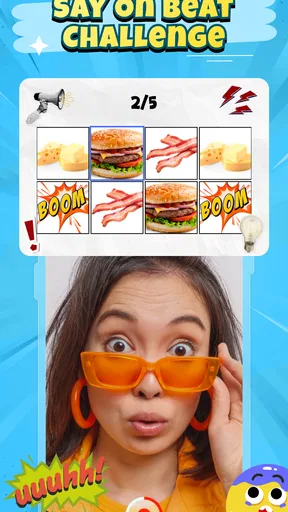
Falling Filter doesn’t stop at just looping and falling effects. You can jazz up your creations with filters, stickers, and text overlays. The filters range from vintage vibes to modern aesthetics, allowing you to match the mood of your content perfectly.
For those who love adding a personal touch, the app’s text feature is a fun way to include captions or quotes. The font options are quite varied, so you can match the style to whatever you’re feeling that day. Plus, the stickers are just adorable. I’m talking about everything from cute little emojis to trendy icons.
Sharing Your Masterpieces
Once you’ve crafted your masterpiece, sharing it is super simple. The app integrates seamlessly with all major social media platforms, so whether you’re an Instagram aficionado or a TikTok trendsetter, you can easily share your creations with the world. The quality remains crisp, ensuring your audience gets the full effect of your creative genius.
Version, availability, and what to expect
The current version is 1.0.1, and the app was released on January 6, 2026. That makes it an early-stage product by the standards of long-established photo editors, so I’d judge it primarily on whether its central effect fits my needs, not on whether it can stand in for a mature editing suite. I would treat future refinements as something to watch for, rather than assume any particular tool or change is on the way.
It is a free photography app from AI Master Lab, with an Everyone age rating. Its average rating is 4.2 from around 3.4 thousand ratings, and it has passed one million installs. Those figures suggest that plenty of people have tried it, but they do not tell me whether its particular look suits my own clips. I’d make that decision by testing a short, ordinary recording before building a whole post around the effect.
A few habits that improve the result
My first tip is to record with the loop in mind, rather than expect the effect to rescue any footage. Keep the phone steady and let the subject move through the frame; if both the camera and the subject are moving unpredictably, the repeating transition can feel messy. A plain background can help too, because it gives the falling motion room to stand out instead of competing with visual clutter.
Second, I’d make one version with the effect alone before adding text, stickers, or filters. That gives me a clean reference point and makes it easier to tell whether extra decoration genuinely helps. If the motion already carries the joke or mood, a caption can explain too much, while a large sticker may pull attention away from the loop. I prefer one clear focal point over stacking every available treatment.
Third, I’d keep a copy of the original recording until I’m happy with the finished result. This is a sensible habit with any creative edit, but especially with a repeating effect: the processed version may communicate a different tone or make a real moment seem comic. Having the source on hand lets me choose a simpler edit later without having to recreate the scene.
Limits worth weighing before you commit
The main limitation is also the app’s defining choice: a specialized loop is not useful for every kind of photography or video. If I need a clean portrait, a precise crop, a sequence of shots, or a polished edit with detailed control, I would reach for a broader editor. If I want a natural record of motion, I would leave the clip untouched or make only a basic trim. Falling Filter makes most sense when the effect itself is the reason for editing.
There is a creative learning curve even if the controls are approachable. The challenge is less about operating the app and more about choosing footage that can bear repetition. A loop can expose an awkward pause or make a movement feel artificial, so the first result may not be the best one. I’d be prepared to try a different moment or simplify the composition rather than keep adding filters in the hope that they will fix the underlying timing.
I would also check the final output before posting it wherever I plan to share it. A clip that looks appealing on my phone may feel too busy or repetitive in a feed, and text that seems readable while editing can be hard to notice at a smaller size. A quick preview with the sound off is useful when the motion is meant to carry the idea on its own.
What I would watch as it develops
Because this is an early release, the most useful signs of progress would be practical ones: whether the core loop stays easy to make, whether the effect works reliably across different kinds of footage, and whether the finished result remains convenient to share. Those are expectations I’d use to evaluate future versions, not claims about changes that have already happened. For someone already using it, the sensible approach is to keep judging each version by the actual results it produces.
I would not install it expecting a complete studio in miniature. I would install it for a specific creative impulse: turning a small movement into a repeatable visual beat without taking a detour through a complicated editing workflow. If that is the job, its focused nature is a strength; if my needs grow into detailed production, that same narrowness becomes the reason to switch tools.
Final Thoughts
All in all, Falling Filter: Loop Me Effect is a delightful app that brings a fun twist to your photos and videos. It’s perfect for anyone looking to add a bit of flair to their social media presence without spending hours in complex editing software. The interface is intuitive, the effects are captivating, and the creative possibilities are endless.
If you’re someone who loves experimenting with visual effects and making your content stand out, I’d definitely recommend giving this app a whirl. So go ahead, dive into the world of loops and falls, and let your creativity flow!
Pros
- Unique and creative loop effects.
- User-friendly interface and controls.
- Wide variety of filters available.
- Fast processing and rendering times.
- Regular updates with new features.
Cons
- Some filters require in-app purchases.
- Occasional crashes on older devices.
- High battery consumption during use.
- Ads can be intrusive at times.
- Limited options for video export quality.
FAQs for Falling Filter: Loop Me Effect
What is Falling Filter: Loop Me Effect, and how does it work?
Falling Filter: Loop Me Effect is a creative video editing app that allows users to apply unique looping effects to their videos. The app uses advanced algorithms to seamlessly blend and loop video clips, creating visually stunning effects. It’s perfect for social media content creators looking to enhance their videos with professional-quality effects without needing extensive editing skills.
Is Falling Filter: Loop Me Effect free to use, or are there in-app purchases?
Falling Filter: Loop Me Effect is free to download and offers a variety of basic features without charge. However, the app includes in-app purchases that unlock premium features, filters, and effects. These purchases can enhance your editing capabilities, providing access to exclusive content and tools for a one-time fee or subscription.
What devices and operating systems are compatible with Falling Filter: Loop Me Effect?
The app is available for both Android and iOS devices. It supports a wide range of operating systems, but it is recommended to have the latest versions of Android or iOS installed to ensure full compatibility and access to all features. Make sure your device has adequate processing power and storage space for optimal performance.
Does Falling Filter: Loop Me Effect require an internet connection to function?
While you can use many of the app’s features offline, an internet connection is necessary to download and install the app, access updates, and utilize any cloud-based features or content. Additionally, sharing videos directly to social media platforms will require an internet connection.
How can I ensure my videos maintain quality after editing with Falling Filter: Loop Me Effect?
To maintain high video quality, start by using high-resolution source videos. The app is designed to preserve quality during editing, but exporting in the highest available resolution settings is recommended. Also, explore the app’s settings to adjust output quality preferences to suit your needs. Regularly updating the app ensures you have the latest features and enhancements.


